Best Reading Challenge Apps in 2026: 52 Books, A to Z and Goals
The best reading challenge apps in 2026, compared on yearly goals, 52-book and A to Z challenges, community challenges and price, for iPhone, Android and web.
- Books
- Audiobooks

The short answer
- Omniphile is the best reading challenge app for iPhone, iPad and Mac in 2026: its 52 Book Challenge and A–Z Challenge templates are free, and its goals count books, pages, minutes or reading sessions, from daily to yearly.
- Omniphile has no Android or web version. There, StoryGraph lets you create a challenge or join one of thousands made by other readers, with yearly goals for books, pages and listening and no ads on its free tier.
- Goodreads still runs the classic yearly Reading Challenge, a goal counted in books, with seasonal achievements and Kindle sync, but it shows ads and can’t count pages.
- Bookly suits readathons and timed reading, Beanstack is the app many libraries and schools use for their reading challenges, and Bookmory suits daily goals and streaks.
The best reading challenge app for iPhone, iPad and Mac in 2026 is Omniphile, with free 52 Book and A–Z challenge templates and goals in books, pages or minutes, from daily to yearly. On Android and the web, where Omniphile doesn’t run, StoryGraph has thousands of community challenges and Goodreads runs its yearly Reading Challenge.
Whether you are trying to finish this year’s goal by December 31 or setting up 2027’s, the apps below handle it best. We make Omniphile, and it ranks first because it covers the most kinds of challenge: daily to yearly goals, A–Z, 52-book and other challenge templates, and custom challenges with Premium. Everything about the other apps comes from their App Store and Google Play listings, help pages and changelogs, checked on November 9, 2026. We compared what each app documents, not how it felt after a year of use.
The best reading challenge apps compared
The short version, by what you need:
| If you want | App | Why |
|---|---|---|
| The best challenges on iPhone, iPad and Mac | Omniphile | Free 52 Book and A–Z templates; goals in pages or minutes |
| A free app on Android and the web | StoryGraph | Thousands of community challenges, no ads |
| Goodreads’ own yearly challenge | Goodreads | Reading Challenge, seasonal achievements, Kindle sync |
| Readathons | Bookly | Readathon tracking, an A–Z challenge, goals in hours |
| Your library’s or school’s challenge | Beanstack | Challenges run by librarians and teachers |
| Daily goals and streaks on Android | Bookmory | Daily and yearly goals, a weekly streak option |
What separates them, as of November 2026:
| App | Platforms | Price (US) | Goals count | Themed challenges | Join others |
|---|---|---|---|---|---|
| Omniphile | iPhone, iPad, Mac | Free; optional Premium | Books, pages, minutes | 52 books, A–Z, custom | No |
| StoryGraph | Web, iPhone, iPad, Android | Free; Plus $49.99 a year | Books, pages, listening | Build your own | Yes |
| Goodreads | Web, iPhone, iPad, Android | Free, with ads | Books | Seasonal | Goodreads’ own |
| Bookly | iPhone, iPad, Mac, Android | Free, with ads; Pro $29.99 a year | Books, pages, hours | A–Z, readathons | Readathons |
| Beanstack | iPhone, Android | Free | Set by each challenge | Library and school | Yes |
| Bookmory | iPhone, iPad, Android | Free, with ads; Premium $30.99 a year | Books, pages, time | No | No |
How we chose the best reading challenge apps
A reading challenge is either a number (52 books this year) or a list of prompts (a book set on an island, a book for every letter). We judged every app on both, and on five things:
- Goal units. Books, but also pages and reading time, because one 900-page novel can sink a book-count goal.
- Themed challenges. Ready-made ones such as the 52 Book Challenge or an A to Z, and whether you can build your own.
- Doing it with others. Joining challenges run by other readers, a library or a school, and seeing friends’ progress.
- Pacing. Daily or weekly goals, streaks and a sense of whether you are ahead or behind.
- Price, ads and platforms, including what sits behind each paywall.
Two apps people ask about aren’t ranked. Fable has a yearly reading goal, daily streaks and a streak widget,1 and its editors post monthly reading challenges that run “on the honor system,” with a badge in your Monthly Wrap rather than tracking in the app.2 Hardcover has reading goals, but custom challenges are still a request marked “under consideration” on its public roadmap, with 46 votes as of November 2026.3
The best reading challenge apps, ranked
Best on iPhone, iPad and Mac
1. Omniphile
- Platforms
- iPhone, iPad, Mac, Apple Watch
- Price
- Free; optional Premium subscription
- Tracks
- Books
- Audiobooks
- Movies
- TV shows
- Games
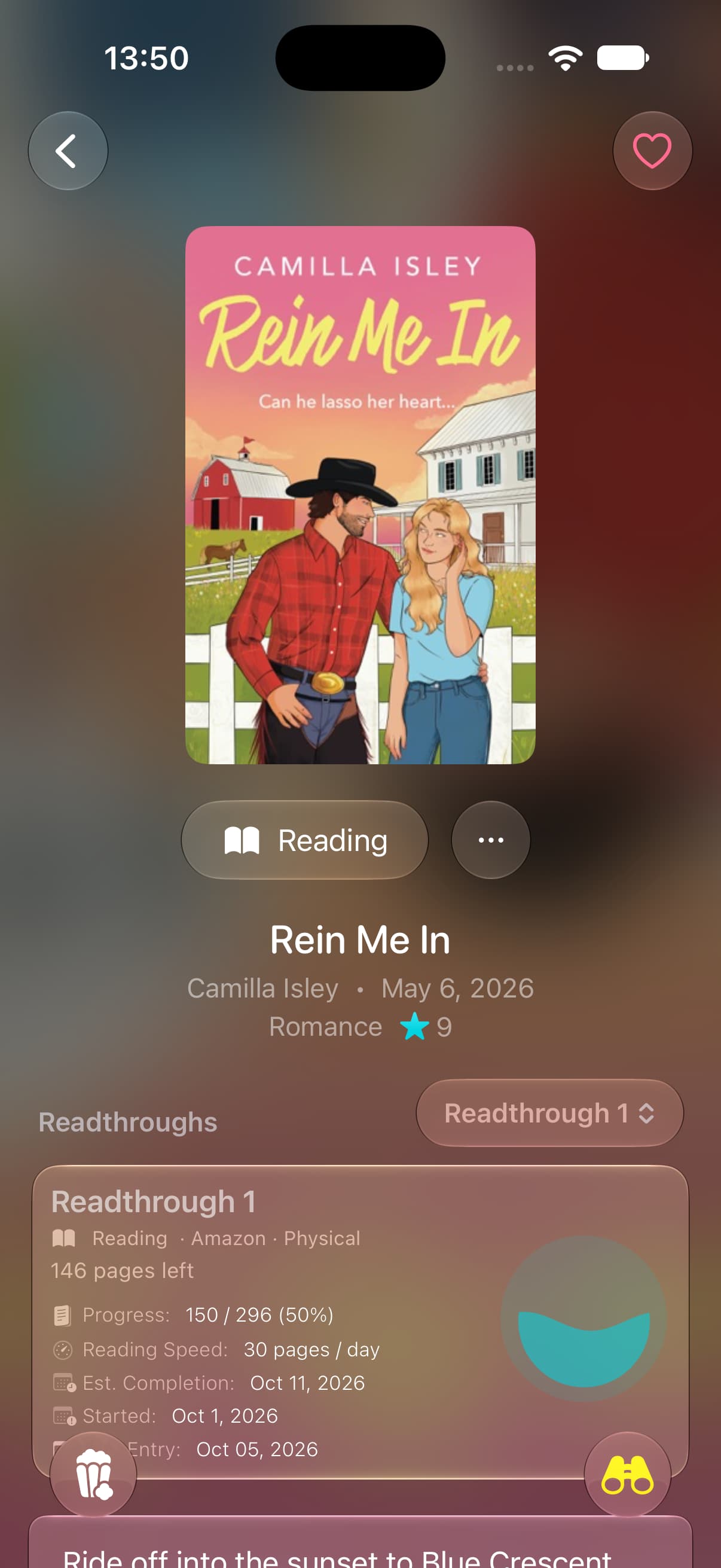
Omniphile is our app, a modern, native app for iPhone, iPad and Mac. Goals arrived in version 4.2 on October 15, 2026, and challenges in version 4.3 two days later, as the changelog shows. A goal can be daily, weekly, monthly or yearly. For books it counts pages, reading sessions, minutes or books finished, though finishing books isn’t offered as a daily goal. Audiobooks get goals in sessions, minutes or titles, and a setting, off by default, counts them toward your book goals too. A goal counts the whole period it starts in, so a yearly goal set in November still counts the books you finished from January, and it can also fill in earlier periods, with your streak, from what you had already logged.
The challenges start from free templates. The 52 Book Challenge gives you 52 prompts for a year of reading, one a week, from “a debut novel” and “translated from another language” to “on your shelf for years, never read”; the prompts are yours to edit, and you fill each one with a book. The A–Z Challenge asks for a title for every letter, per month or per year, and fills itself in from what you finish: each title goes under its first letter, with a leading article such as “The” or “A” skipped, so The Secret History fills S. Other templates include a Battle Royale, in which you pick your favorite of each month and then narrow them down in a bracket to your title of the year, and you can share a challenge as an image.
Premium adds custom challenges, such as “read 10 horror books and complete 5 horror video games”: up to five targets of books, audiobooks, films, shows or games, filtered by genre, release year or, for books and games, theme, over a month, a year, a date range or all time. Premium also covers goals with more than one target, such as 100 pages and three films a week, plus Home Screen widgets, including the yearly reading-goal widgets added in version 4.5, iCloud sync between iPhone, iPad and Mac, and the Apple Watch app.
There are limits. Challenges are personal: you can’t join a challenge with other readers, as you can on StoryGraph, or follow friends’ progress, as on Goodreads. To move in, Omniphile imports Goodreads and StoryGraph exports with the date you finished each book, and ReadTracker backups, so what you have already read this year counts.
Who it’s for: Readers on iPhone, iPad or Mac who want ready-made challenges and goals in pages or minutes, not just books.
Strengths
- Free 52 Book Challenge and A–Z templates
- Goals in books, pages, minutes or sessions, daily to yearly
- The A–Z fills itself in from the books you finish
- Audiobooks can count toward book goals
Drawbacks
- No Android or web version
- No community challenges to join
- Custom challenges and mixed goals need Premium
- Widgets and the Watch app need Premium
Community challenges on Android and the web
2. StoryGraph
- Platforms
- Web, iPhone, iPad, Android
- Price
- Free; Plus $4.99 a month or $49.99 a year
- Tracks
- Books
- Audiobooks
StoryGraph is built for doing reading challenges with other people. Its help center calls challenges one of its most popular features, “and there are thousands for you to take part in.”4 Since February 2024 a host can build three styles: the original prompt challenge; a book challenge, with a set list of books to read; and a number challenge, where you read a given number of books that fit criteria such as a genre or a language.5
You add a book to a prompt from the book’s page or from the prompt itself. Once the book is marked as read with a finish date between the challenge’s start and end dates, “the prompt will automatically register as complete.”4 Alongside challenges, its listing promises annual reading, page and listening goals and streaks.6 Challenges and goals are part of the free app, which has no ads. Plus, at $4.99 a month or $49.99 a year on the US App Store, adds custom charts, extra stats filters and stats comparisons.6 StoryGraph runs on the web and Android as well.7 Our StoryGraph vs Goodreads comparison goes further.
Who it’s for: Readers who want to join challenges with other readers, or build their own, on any device and for free.
Strengths
- Create a challenge or join one of thousands
- Prompt, book-list and number challenges
- Yearly goals for books, pages and listening
- Free tier with no ads
Drawbacks
- No Mac app: its iPad app is not verified for macOS
- No daily goals in its listing
The classic yearly challenge
3. Goodreads
- Platforms
- Web, iPhone, iPad, Android
- Price
- Free, with ads
- Tracks
- Books
- Audiobooks
Goodreads’ Reading Challenge is the simplest here: you enter the number of books you want to read in the year, and you can set or change that goal any time between January 1 and December 31.8 A book counts once it is on your Read shelf with a date read in that year, and a missing date is almost always why a book doesn’t show up.9 On top of the yearly goal, seasonal challenges award achievements, shown as bookmarks, for things like reading a book from a selected list.10 You can see your friends’ progress from the Reading Challenge page, and if you link your Amazon account, Kindle books count and your challenge progress syncs between Goodreads and Kindle.11
The goal is a book count and nothing else, so a 900-page novel and a novella count the same, and there are no prompts of your own. The app is free, and its Google Play listing says it contains ads.12 With about 762,000 ratings on the US App Store, it has by far the most of any app here.13 If you are thinking of leaving, our Goodreads alternatives comparison walks through the export.
Who it’s for: Readers whose friends, book clubs and Kindle are already on Goodreads.
Strengths
- A simple yearly goal in books
- Seasonal challenges with achievements
- Syncs challenge progress with Kindle
- See your friends’ progress
Drawbacks
- Goals count books only
- No themed prompts of your own
- Shows ads
Readathons and a reading timer
4. Bookly
- Platforms
- iPhone, iPad, Mac, Apple Watch, Android
- Price
- Free, with ads; Pro $4.99 a month or $29.99 a year
- Tracks
- Books
- Audiobooks
Bookly is built around a reading timer: you start it each time you read, log your page, and it works out your pace and when you will finish. Its listing offers monthly or yearly goals “in number of hours, pages or books,” a goal to finish a single book by a date, reading streaks, and readathon tracking with prompts and notifications.14 An A–Z reading challenge arrived in version 1.19.2, released October 15, 2026.
The developer also runs its own readathons. In January 2026, the Chapter One readathon asked readers to “Read 10+ hours” between January 21 and 31, joined from the Readathon tab under Stats, and to export a reading report on February 1 for a chance to win a prize.15 Bookly is free to download and shows ads; Pro is listed at $4.99 a month, $19.99 for six months or $29.99 a year on the US App Store. It runs on iPhone, iPad, Mac and Apple Watch, and on Android.16
Who it’s for: Readers who time their reading and like readathons and an A–Z challenge.
Strengths
- Monthly or yearly goals in hours, pages or books
- Tracks readathons and their prompts
- An A–Z reading challenge
- A reading timer, also on Apple Watch
Drawbacks
- Shows ads; some features need Pro
- No community challenges beyond its own readathons
Library and school challenges
5. Beanstack
- Platforms
- iPhone, Android
- Price
- Free
- Tracks
- Books
- Audiobooks
Beanstack is the app behind many public library and school reading challenges, summer reading among them. Its listing invites you to “join motivating reading challenges created by librarians, educators, and reading specialists,” from seasonal challenges to yearlong ones.17 You record sessions with a reading timer or log a whole book with a click, earn streaks and badges, and compete with friends from your organization on leaderboards.
You sign in through your library or school. If yours doesn’t use Beanstack, a free Beanstack Go account still lets you log reading and join themed challenges, and one account can hold several readers in a family, though it can’t be linked to a library or school system.18 The app is free and its listing says your data is never used to show you ads. On iOS it is built for iPhone only; it is also on Android.19
Who it’s for: Readers whose library, school or workplace runs its reading challenges on Beanstack.
Strengths
- Challenges created by librarians and educators
- Reading timer, streaks and badges
- Leaderboards with friends in your organization
- Free, with no ads
Drawbacks
- Built for iPhone only on iOS
- Its challenges depend on your library, school or Beanstack Go
Daily goals and a weekly streak option
6. Bookmory
- Platforms
- iPhone, iPad, Android
- Price
- Free, with ads; Premium $3.49 a month or $30.99 a year
- Tracks
- Books
- Audiobooks
Bookmory, from the developer TonySoft, is a reading journal with goals rather than a challenge app. Its listing offers daily and yearly reading goals and a reading streak, “or switch to a weekly streak if every day feels like too much.”20 Its recent updates added monthly goals and plans, let the yearly goal count pages, chapters, episodes or time, not just books, and allow up to three daily and three yearly goals at once with Premium.
A timer runs on the Lock Screen and in the Dynamic Island, and each time you log, Bookmory shows your reading speed and the time left to finish. There are no themed or shared challenges. The free version shows ads; Premium, at $3.49 a month or $30.99 a year on the US App Store, removes them and adds sync across devices and all statistics. It is also on Android.21
Who it’s for: Readers who want a daily habit and a yearly goal in pages or time, in a private journal.
Strengths
- Daily, monthly and yearly goals
- Yearly goals in pages, chapters, episodes or time
- A daily or a weekly reading streak
- A reading timer on the Lock Screen
Drawbacks
- No themed or community challenges
- Several goals at once need Premium
How to set up a 52 book challenge or an A to Z challenge
Many themed challenges are lists of prompts published by a book club, a blog or a library. Here is how to run two common ones in an app:
- A 52 book challenge. In Omniphile, add the 52 Book Challenge from the templates, set its dates and edit any prompts that don’t suit you. On StoryGraph, join a book-a-week challenge someone else has published, or create a prompt challenge with your own list. On Goodreads, Bookly or Bookmory, set a yearly goal of 52 books and keep the prompts on paper.
- An A to Z challenge. In Omniphile, add the A–Z Challenge and choose a month or a year; every book you finish files itself under its letter. Bookly has its own A–Z challenge. On StoryGraph, a prompt challenge with 26 prompts, one per letter, does the job.
A yearly number is easier to keep on track than a list of prompts. At 52 books a year you need one a week; at 24, one every 15 days or so. If you are behind, our pages per day calculator works out how many pages a day it takes to finish by December 31. And if audiobooks are part of your year, our look at whether audiobooks count as reading covers what the research says.
Which reading challenge app should you pick?
- You read on an iPhone, iPad or Mac and want ready-made challenges and goals in pages or minutes: Omniphile.
- You use Android or a Windows PC, or want to do challenges with other readers: StoryGraph, which runs on Android and the web and has no ads on its free tier.
- Your friends and your Kindle are on Goodreads, and a book count is all you need: Goodreads.
- You join readathons: Bookly, which tracks them and runs its own.
- Your library or school runs a reading challenge: Beanstack.
- You want a daily habit more than a themed challenge: Omniphile, whose daily goals count pages, minutes or reading sessions. On Android, Bookmory has daily goals and a weekly streak option.
On iPhone, iPad or Mac, start with Omniphile: the 52 Book and A–Z templates cost nothing, goals can count pages or minutes instead of books, and a Goodreads or StoryGraph export brings this year’s finished books with you. On Android or the web, where Omniphile doesn’t run, StoryGraph’s community challenges are free to browse. For more on the trackers themselves, see our ranking of the best book tracking apps.
Sources
-
Fable on the App Store, checked November 9, 2026. https://apps.apple.com/us/app/fable-track-discuss-books/id1488170618 ↩
-
Fable Blog, “Try one of our Fable reading challenges for January”, January 8, 2026. https://fable.co/blog/fable-reading-challenges-for-january-2026 ↩
-
Hardcover roadmap, “custom challenges”, posted October 14, 2023, checked November 9, 2026. https://roadmap.hardcover.app/feature-requests/posts/custom-challenges ↩
-
The StoryGraph Help, “Getting Started with StoryGraph”, checked November 9, 2026. https://thestorygraph.freshdesk.com/support/solutions/articles/79000142013-getting-started-with-storygraph ↩ ↩2
-
The StoryGraph changelog, “New reading challenge styles”, February 13, 2024. https://roadmap.thestorygraph.com/changelog/new-reading-challenge-styles ↩
-
The StoryGraph on the App Store, checked November 9, 2026. https://apps.apple.com/us/app/storygraph-reading-tracker/id1570489264 ↩ ↩2
-
The StoryGraph on Google Play, checked November 9, 2026. https://play.google.com/store/apps/details?id=com.thestorygraph.thestorygraph ↩
-
Goodreads Help, “Set, edit or delete your Reading Challenge goal”, updated July 16, 2026. https://help.goodreads.com/s/article/000001779 ↩
-
Goodreads Help, announcement “Why are books missing from my Reading Challenge?”, checked November 9, 2026. https://help.goodreads.com/s/announcements/a031H00000RJ9qrQAD/why-are-books-missing-from-my-reading-challenge ↩
-
Goodreads Help, “Collect Reading Challenge achievements”, checked November 9, 2026. https://help.goodreads.com/s/article/000001778 ↩
-
Goodreads Help, “About Reading Challenge”, checked November 9, 2026. https://help.goodreads.com/s/article/What-are-Reading-Challenges ↩
-
Goodreads on Google Play, checked November 9, 2026. https://play.google.com/store/apps/details?id=com.goodreads ↩
-
Goodreads on the App Store, checked November 9, 2026. https://apps.apple.com/us/app/goodreads-book-tracker-more/id355833469 ↩
-
Bookly on the App Store, description and version history, checked November 9, 2026. https://apps.apple.com/us/app/id1085047737 ↩
-
Bookly Blog, “Chapter One Bookly Readathon 2026”, checked November 9, 2026. https://blog.getbookly.com/chapter-one-bookly-readathon-2026/ ↩
-
Bookly on Google Play, checked November 9, 2026. https://play.google.com/store/apps/details?id=com.twodoor.bookly ↩
-
Beanstack Tracker on the App Store, checked November 9, 2026. https://apps.apple.com/us/app/beanstack-tracker/id1360324277 ↩
-
Beanstack Help, “What is Beanstack Go?”, updated June 9, 2026. https://help.beanstack.com/hc/en-us/articles/4410625671191-What-is-Beanstack-Go ↩
-
Beanstack Tracker on Google Play, checked November 9, 2026. https://play.google.com/store/apps/details?id=com.beanstack ↩
-
Bookmory on the App Store, description and version history, checked November 9, 2026. https://apps.apple.com/us/app/bookmory-reading-tracker/id1515533482 ↩
-
Bookmory on Google Play, checked November 9, 2026. https://play.google.com/store/apps/details?id=net.tonysoft.bookmory ↩
Common questions
- What is the best app for reading challenges?
- Omniphile, on iPhone, iPad and Mac: it has free 52 Book and A–Z challenge templates and goals in books, pages or minutes. It has no Android or web version; there, StoryGraph lets you create your own challenge or join one of thousands run by other readers.
- Is there a free reading challenge app?
- Yes. Omniphile’s challenge templates and single goals are free, with custom challenges in its optional Premium tier. StoryGraph’s challenges and goals are part of its free app, with no ads, Goodreads’ Reading Challenge is free with ads, and Beanstack is free.
- Which app has a 52 book challenge?
- Omniphile includes a 52 Book Challenge template with 52 prompts, one a week, that you can edit. On StoryGraph, you can join a book-a-week challenge another reader has made or build your own from prompts. Goodreads, Bookly and Bookmory let you set a goal of 52 books instead.
- Can you set a reading goal in pages instead of books?
- Goodreads counts only books. StoryGraph, Bookly, Bookmory and Omniphile all take page goals, and Bookly, Bookmory and Omniphile can also set a goal in reading time.
- What is an A to Z reading challenge?
- It asks you to read a book for every letter of the alphabet, usually by the first letter of the title. Omniphile’s A–Z Challenge fills in each letter from the books you finish, skipping a leading article such as “The”, and Bookly added an A–Z challenge in October 2026.
Keep reading
All posts
List
Best Audiobook Tracker Apps in 2026 for iPhone, Android and Web
The best audiobook tracker apps in 2026, compared on progress by listening time, timers, goals and stats, on iPhone, Mac, Android, the web and Audible.
11 min read

List
Best Media Tracker Apps in 2026: Movies, TV, Books, Games
The best media tracker apps in 2026 for movies, TV, books, audiobooks and games, compared on depth, imports, sync and price, with apps for Android and the web.
9 min read

List
Best Book Tracking Apps in 2026 for iPhone, Android and Web
The best book tracking apps in 2026, compared on reading timers, rereads, goals, widgets, imports and price, on iPhone, iPad, Mac, Android and the web.
11 min read